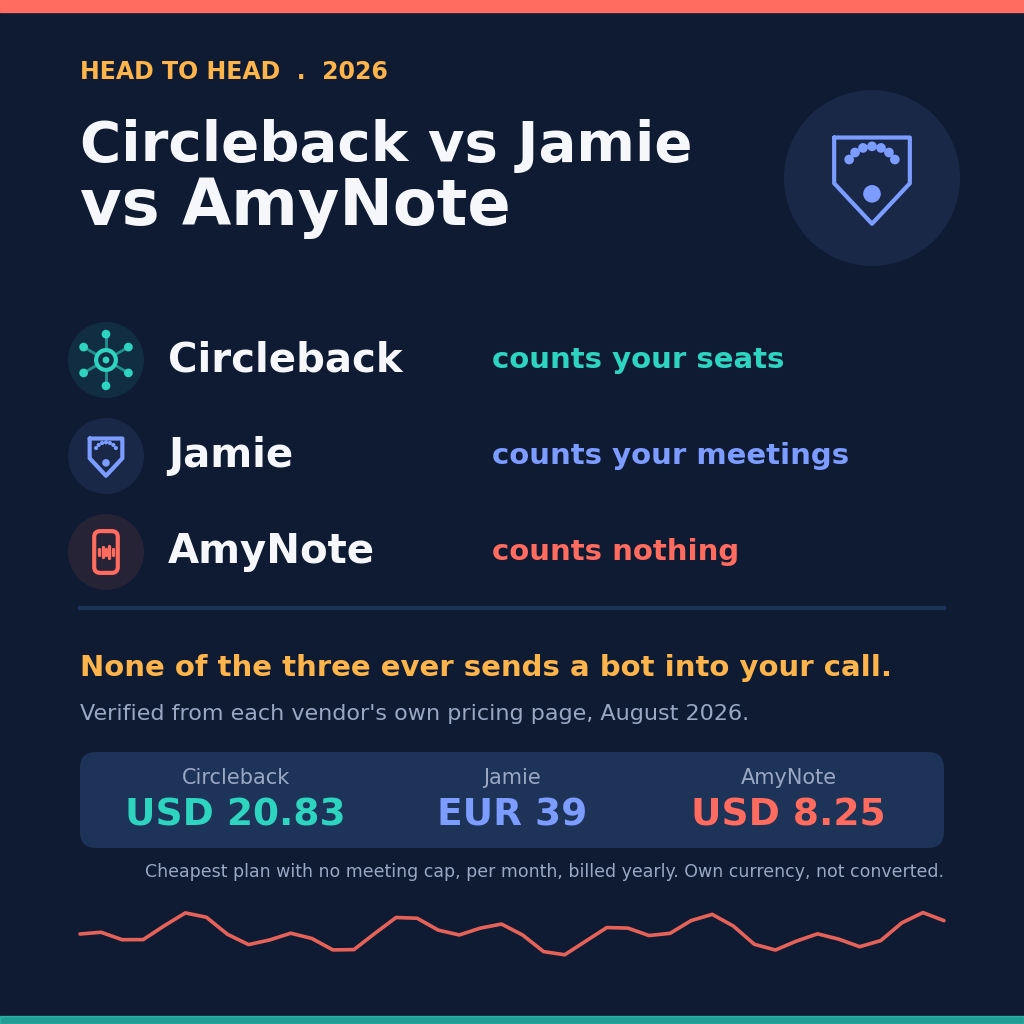
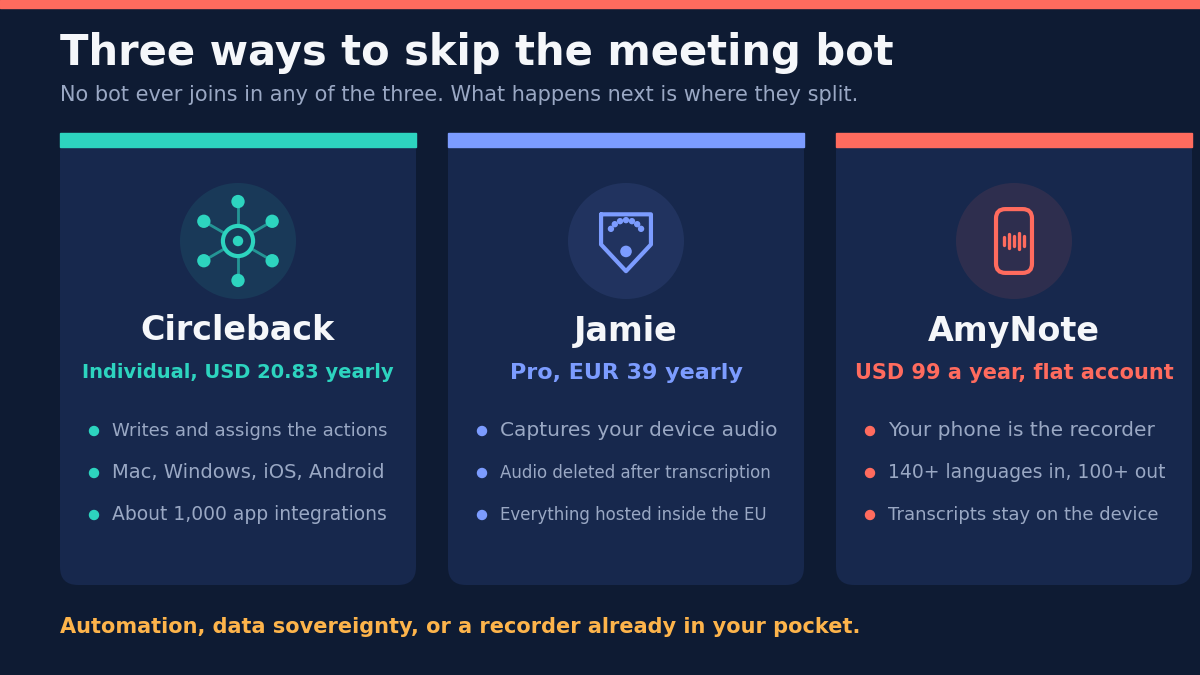
None of these three ever sends a bot into your call. That is the easy part, and it is where the similarity ends.
What separates them is what each one rations. Circleback rations seats and lets you hold as many meetings as you like. Jamie rations the meetings themselves, and below its top individual tier it also caps how long each one runs. AmyNote rations nothing and charges the account once.
Pick the wrong axis and you will buy the wrong tool at the right price.
The Quick Verdict
Choose Circleback if you want the meeting to trigger work somewhere else. It writes the notes, assigns the action items, and pushes them into roughly a thousand other apps. Unlimited meetings from the first paid tier, and no free plan at all.
Choose Jamie if where your data lives is the deciding question. Everything is processed and stored inside the EU, meeting audio is deleted after transcription, and it is the only one here with a free plan that never expires.
Choose AmyNote if the meeting is not on a screen, or not in English. It records with the phone already in your hand across 140-plus languages, at one flat account price rather than per seat.
What We Compared
Every figure below was read this month from each vendor’s own pricing page. Circleback opens on its discounted yearly view, so the number most review sites repeat is the cheaper one; we clicked the toggle both ways.
One caution matters more here than in most comparisons: Jamie prices in euro and the other two in dollars. We quote each vendor in its own currency and do not convert, because the rate moves and because VAT sits on top of Jamie’s team plans. Any comparison that presents a single converted column is quietly making a call about the exchange rate on the day it was written.
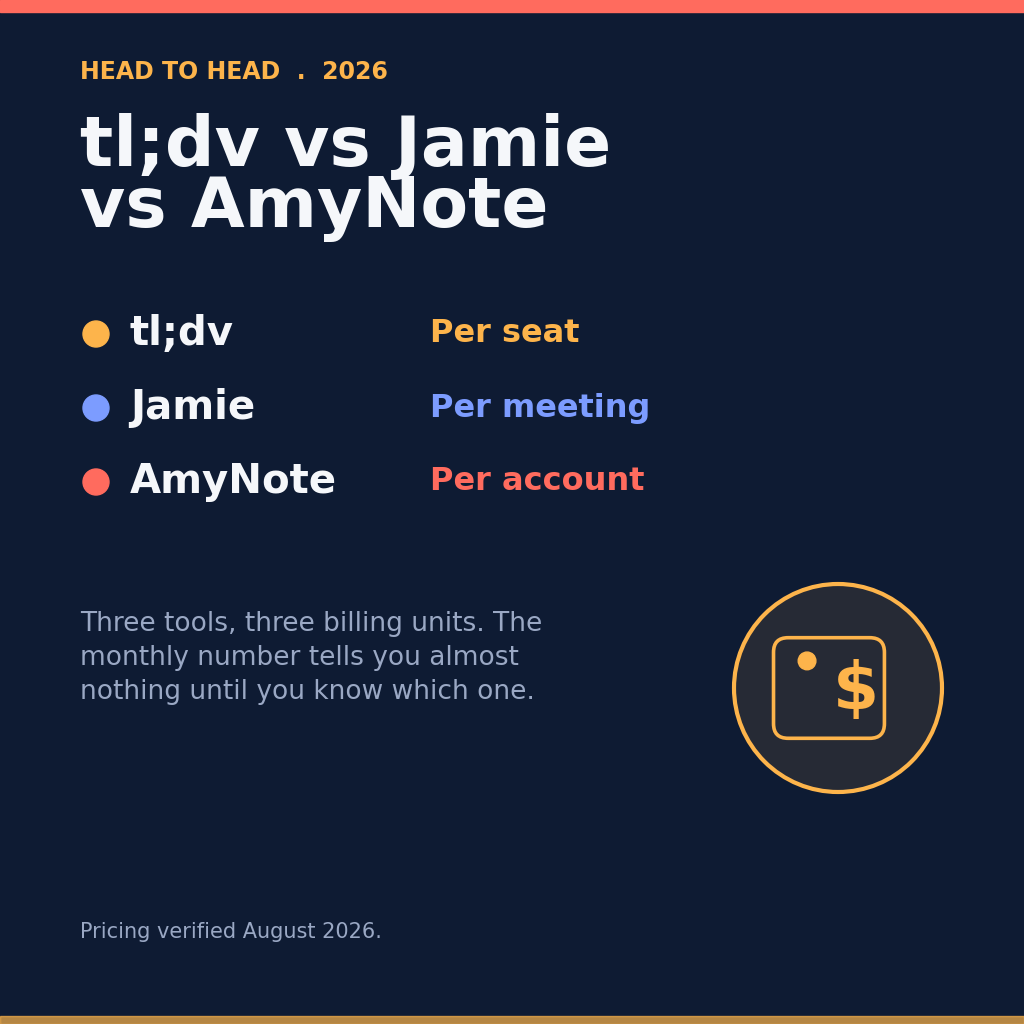
Circleback and Jamie charge per seat. AmyNote charges once for the account, which changes the arithmetic the moment a second person is involved. We did not score transcription accuracy, which depends more on the microphone than on the vendor.
Circleback: Strengths and Weaknesses
Strengths. Circleback is the most hands-off tool here. Notes and action items are written and assigned automatically, and the action items are the point rather than a footnote under a summary.
Every paid tier includes unlimited meetings with no duration ceiling, so the plan never makes you ration which conversations to record. That sounds like a small thing next to a headline price, and it is the difference between a tool you use by default and one you have to think about before opening.
It reaches outward further than either rival: about a thousand app integrations plus an API, webhooks, an MCP server and a command line tool. It runs bot-free on macOS, Windows, iOS and Android, records in-person meetings, handles over 100 languages, and keeps the audio and video so you can replay whatever the transcript got wrong. Circleback does not train AI models on customer data.
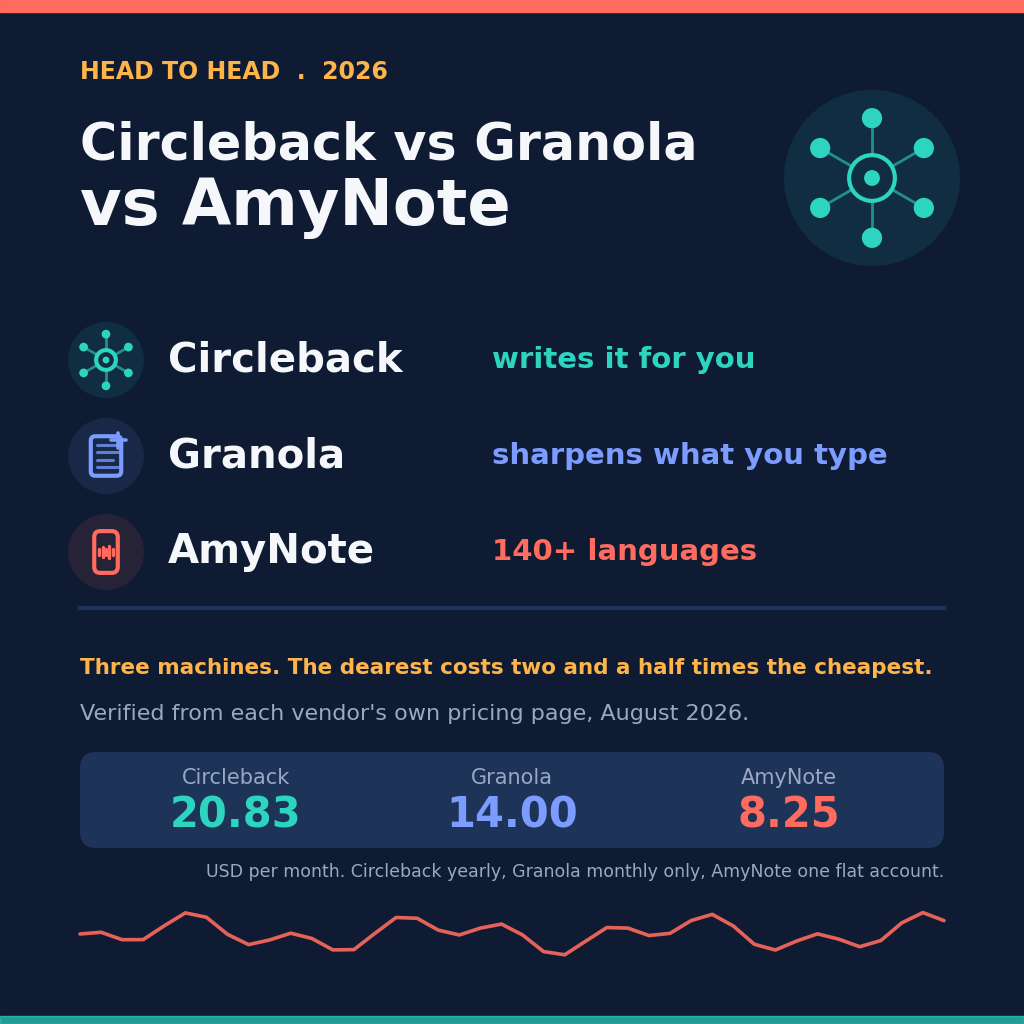
Weaknesses. It is the priciest option here: Individual 20.83 per user per month billed yearly and 25 monthly, Team 25 yearly and 30 monthly. There is no perpetual free plan, only a trial, which makes it the hardest of the three to evaluate slowly.
HIPAA requires the Enterprise tier and a sales call. And everyone who records is a paid seat, so a five-person team is 104.15 a month on Individual, billed annually.
Jamie: Strengths and Weaknesses
Strengths. Jamie has the strongest privacy story on paper here. All storage and processing stay inside the EEA, Switzerland and the UK, meeting audio is deleted after transcription rather than archived, and your data is never used to train models, by Jamie or its model providers. It is ISO 27001, GDPR and DORA compliant, which matters if you sell to European finance.
It captures device audio rather than joining the call, so online, hybrid and in-person meetings behave identically — and in-person recording is on every tier including the free one, which is unusual. It covers Mac, Windows, iOS and Android, handles 99-plus languages and remembers speakers across meetings.
Weaknesses. Jamie is the only tool here that meters the meetings themselves, and the metering is the thing to read carefully before you buy.
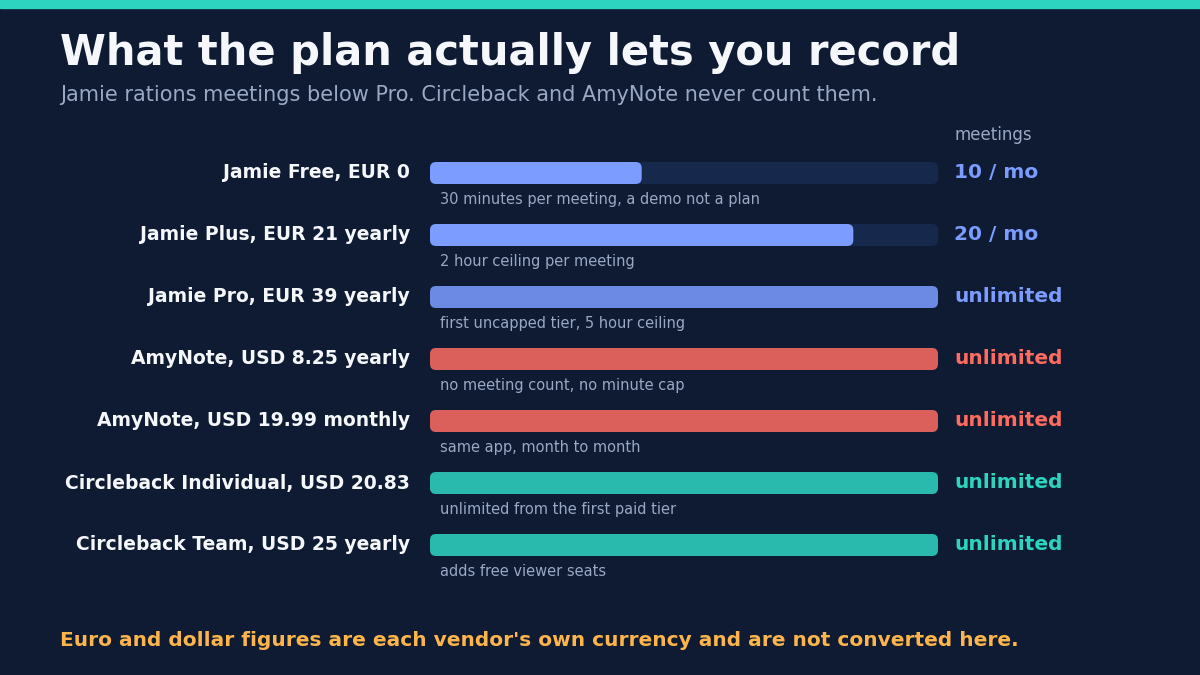
Free gives you 10 meetings a month with a 30-minute ceiling, which is a demo rather than a working plan. Plus at 21 euro yearly and 25 monthly raises that to 20 meetings and a 2-hour ceiling. Pro at 39 euro yearly and 47 monthly is the first tier with no meeting count, carrying a 5-hour per-meeting ceiling, and it is the most expensive individual plan in this comparison.
The integrations most people want sit behind Pro as well: Salesforce, HubSpot, Asana, the API and the MCP server. Free and Plus get Notion, Google Docs and OneNote and stop there. Jamie records no video, and its security page lists no SOC 2 Type II, which some US buyers ask for by name.
There is a real tension inside Jamie’s design worth naming: deleting the audio after transcription is exactly what makes the privacy story strong, and it is also why you cannot go back and check a disputed line. That is a deliberate trade, not an oversight, but it is yours to accept.
AmyNote: Strengths and Weaknesses
Strengths. AmyNote assumes the meeting that matters may not be on a screen. The phone in your pocket is the recorder, so a client lunch or a site walkthrough is captured exactly like a video call.
It transcribes 140-plus languages and translates into 100-plus, tuned for East Asian and Arabic speech, the widest language range here. Speaker identification persists across sessions, and semantic search finds a moment by meaning rather than keyword. Pricing is a flat 99 dollars a year: no seats, no meeting count, no minute cap.
On privacy, both OpenAI and Anthropic contractually guarantee zero training on user data. Audio is encrypted in transit and not retained after processing, and transcripts are stored locally on the device with end-to-end encryption.
Weaknesses, stated plainly. AmyNote is iOS only: no Android app, no desktop app, no browser extension. Both rivals run on Mac, Windows, iOS and Android, and if your team is mixed that single fact decides this comparison before any other feature matters.
It records no video and automates nothing. There are no CRM integrations, no webhooks and no MCP server, so a meeting cannot update a deal record on its own. Anyone who wants meetings to trigger downstream work should buy Circleback. There is also no team management, no SSO and no EU residency guarantee — and if that last one is on your procurement checklist, this comparison has already resolved to Jamie.
Side by Side
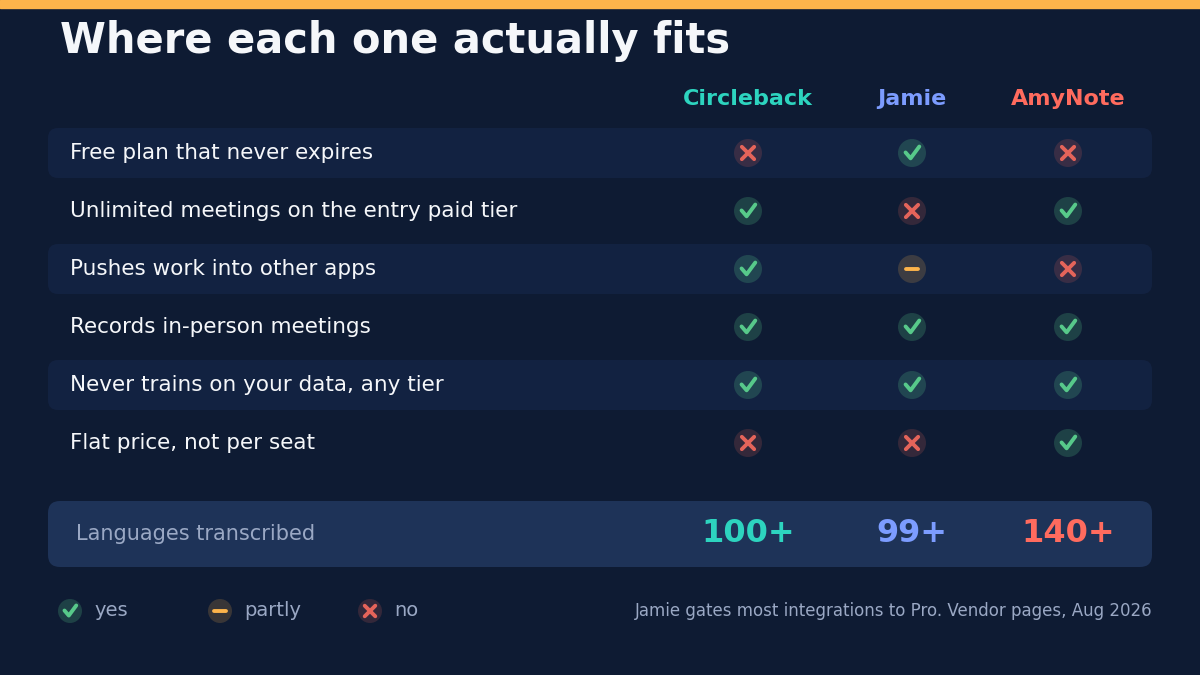
- Free plan that never expires. Jamie only; the other two offer trials.
- Unlimited meetings on the entry paid tier. Circleback and AmyNote. Jamie requires Pro.
- Cheapest plan with no meeting cap. AmyNote at 8.25 dollars a month billed yearly, Circleback at 20.83 dollars, Jamie at 39 euro.
- Platforms. Circleback and Jamie on Mac, Windows, iOS and Android. AmyNote iOS only.
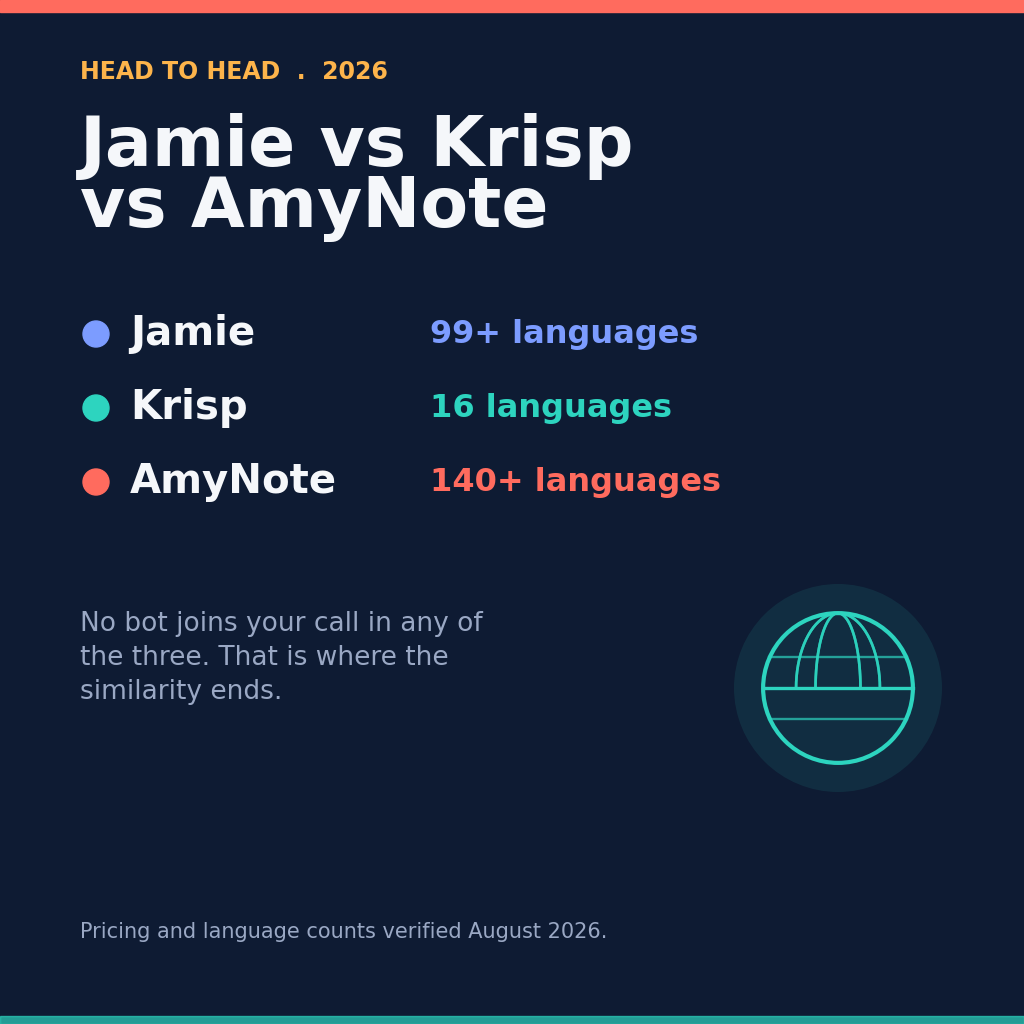
- Languages transcribed. AmyNote 140-plus, Circleback over 100, Jamie 99-plus.
- Keeps audio you can replay. Circleback and AmyNote yes. Jamie no, because its audio is deleted after transcription.
- Model training on your data. None of the three, on any tier.
- Data residency in the EU. Jamie only.
- Integrations. Circleback about 1,000 apps plus API, MCP, CLI and webhooks. Jamie three apps below Pro, the full set on Pro. AmyNote none.
Three Buyers, Three Different Answers
A ten-person sales team that wants calls to update the CRM by themselves. Circleback, and the per-seat price is not the deciding factor. Jamie can reach Salesforce and HubSpot too, but only on Pro at 39 euro a seat, which is dearer than Circleback once you are paying for the integrations anyway. AmyNote is out entirely, because it automates nothing.
A German consultancy whose clients ask where the data is processed. Jamie, and the question is closed before features are discussed. EU-only processing, deleted audio, no model training and ISO 27001 make it an easy internal approval. Price the plan you will actually need rather than the one on the poster: if the team runs more than 20 meetings a month or any that pass two hours, Plus is not enough and Pro at 39 euro is the real number.
A solo practitioner meeting clients in person, in Korean and English. Jamie would work and would cost 39 euro a month for an uncapped plan. Circleback would work at 20.83 dollars. AmyNote covers the languages more broadly, records the in-person meeting from the phone already on the table, and costs 8.25 a month for the account. The catch is iOS, and for a single practitioner already carrying an iPhone that catch does not bite.
The Bottom Line
These three are not competing for the same buyer, and the pricing pages disguise it.
Circleback is for people who want the meeting to disappear into their tools. If a call should create a Linear issue and update a HubSpot record with nobody touching it, nothing else here is close — and unlimited meetings from the first paid tier is why it feels cheaper in use than it looks on the page.
Jamie is for people who have to answer a question about jurisdiction. EU-only processing, deleted audio, no model training and ISO 27001 make it an easy approval in Europe. Just price the plan you will actually need, because the first tier without a meeting count is Pro.
AmyNote is for people whose important conversations happen away from a laptop, often in more than one language. Flat account pricing, 140-plus languages and on-device transcripts are the trade for iOS only and no automation.
If that trade fits, amynote.app has a 3-day trial with no credit card. If it does not, one of the other two here is the better buy, and that is a fine outcome.
Originally published as an X Article by @AmyNoteApp.